
 12 min read





Key Takeaways
- Freeze the original takeoff and document set before changing quantities.
- Match sheets by number, issue, and location, then check schedules and specifications alongside the drawings.
- Record additions and deletions separately, even when their net quantity is zero.
- Keep each quantity change traceable to a location, measurement, and revision reference.
- Reconcile net measured totals before updating allowances, purchase quantities, and supplier requests.
A revised drawing set arrives after you have sent quantities to suppliers. One partition has moved, two rooms have changed finishes, and an equipment schedule has a new entry. If you overwrite the old takeoff, you can update the total and still lose the explanation for the change.
A quantity revision log gives you that explanation. It connects the earlier measured scope to the revised scope, with separate additions, deletions, and unresolved items. Your reviewer can follow the numbers, and your purchasing team can see which requests need another issue.
Use this workflow when you already have a takeoff and need to reconcile it with later documents. Keep the original measurement rules throughout the comparison. If those rules need correcting, identify the correction separately from a design change.
1. Freeze the original quantity baseline
Save a read-only copy of the takeoff, marked drawings, document register, and assumptions used for the earlier issue. Give the package an identifiable revision and date. Keep the original supplier requests with it, so you know what information left your office.
The baseline needs enough detail to explain its totals. A single drywall area for the building will be difficult to reconcile when only one corridor changes. Retain the available building, floor, room, assembly, and drawing references. Where the earlier takeoff lacks that detail, record the limitation and rebuild the affected breakdown before claiming a precise delta.
Write down the measurement basis. For partitions, does the line represent wall centerline length, one finished face, both faces, or board coverage by layer? For pipe, which fittings are counted separately? A change comparison only works when both sides use compatible units and boundaries.
Preserve calculation precision in the working file. Round the reported quantities consistently after reconciliation. Round room changes only after summing them, so the reported delta reflects the measured scope.
2. Match the revised documents to the correct earlier issue
Build a sheet register before opening the comparison tool. Record the sheet number, title, earlier issue, revised issue, and whether the sheet is replaced, added, withdrawn, or unchanged. Confirm the release instructions and addendum list through the project's document process.
A filename ending in "final" does not establish the authorized issue. Check the transmittal, drawing revision information, and the document controller's instructions. Keep an unresolved issue status visible if two files appear to claim the same revision.
| Document condition | Review action | Quantity-log treatment |
|---|---|---|
| Replaced sheet | Compare the identified old and new issues | Measure affected scope and retain both references |
| New sheet | Check whether it adds scope or explains existing scope | Link new quantities to their source without duplicating earlier measurements |
| Withdrawn sheet | Read the withdrawal and replacement instructions | Confirm which scope is removed, relocated, or carried elsewhere |
| Unchanged sheet | Check dependencies from revised documents | Record review status; change quantities only where supported |
Match locations as carefully as sheet numbers. Renamed rooms and renumbered equipment can make the same physical item look new. Preserve an old-to-new identifier reference so the log can distinguish a renamed item from an additional item.
3. Compare drawings, then follow the linked information
Use an overlay or side-by-side comparison to find areas needing review. Bluebeam's Compare Documents guidance describes difference markups and page alignment settings. Those marks identify graphical differences for review; they do not establish the quantity effect.
Autodesk's sheet-comparison guidance also describes selecting versions, comparing views, and adjusting alignment. Confirm that the selected versions and sheet alignment match your intended comparison before interpreting colored differences.
Check known dimensions and stable reference points. An offset scan or changed export can make large portions of the page appear different. Recheck scale on each relevant sheet and detail before remeasuring. Do not stretch a sheet to force its graphics to match when its dimensions disagree.
Follow changed tags into schedules, details, and specifications. A wall can retain its position while its height, board layers, insulation, or finish changes. An equipment symbol can stay in place while the schedule changes its size or connection requirements.
Review revision notes and clouds as useful starting points. Also inspect the linked information that controls the measured assembly. If the note and drawing disagree, record the conflict and seek clarification through the project team. Follow the document-priority and clarification process stated for that project.
4. Classify the change before entering a quantity
Use separate change types for additions, deletions, modifications, relocations, and reviewed unchanged work. Add a clarification status when the documents do not support a final measurement. Consistent labels let the reviewer filter the log without interpreting a different note on every row.
An addition creates scope absent from the defined baseline. A deletion removes baseline scope. A modification changes an existing item, so you may need a credit against the old assembly and an addition for the revised assembly. Preserve the product or assembly description on both sides.
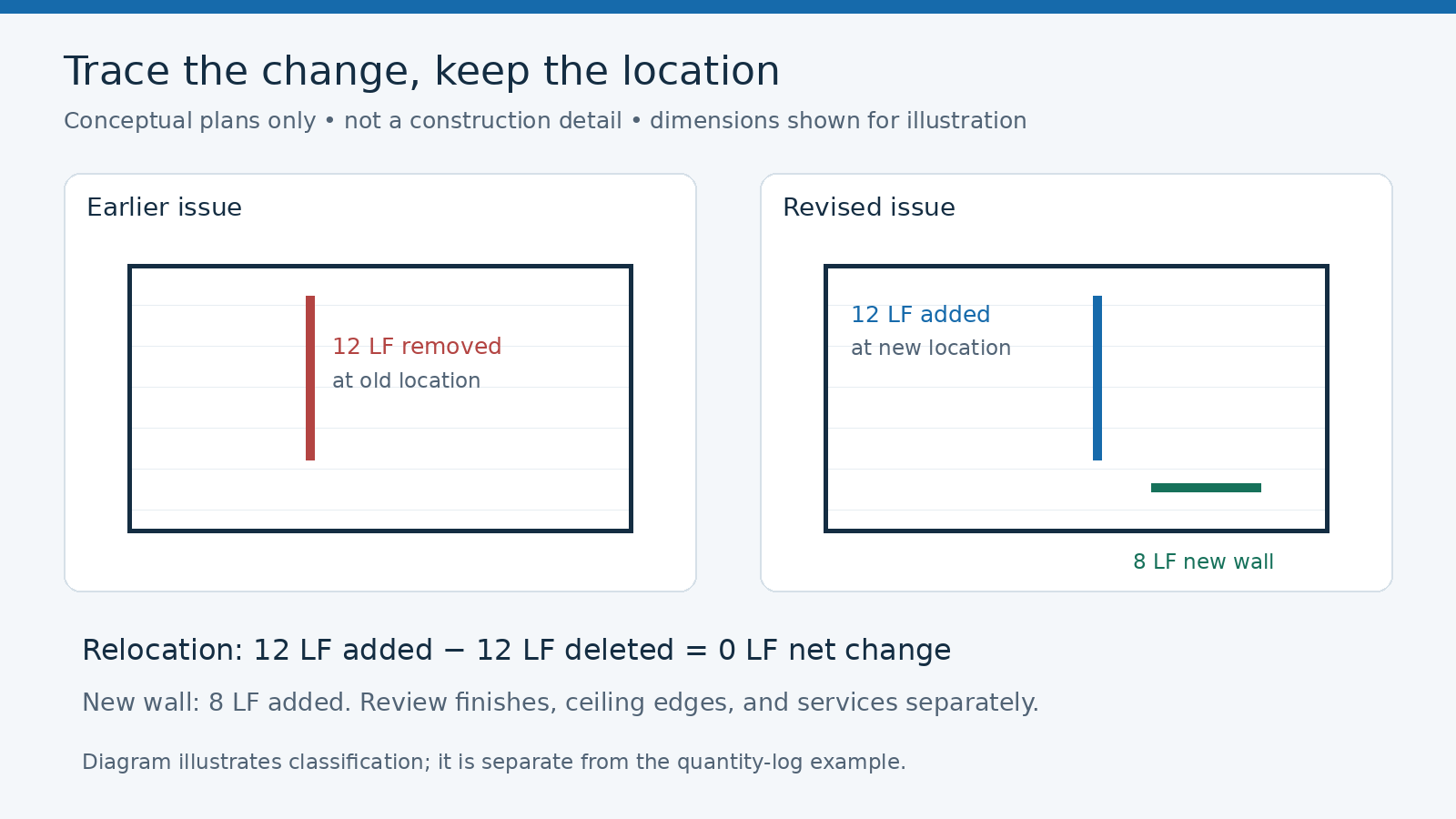
A relocation deserves its own identity even if the material quantity is unchanged. Moving a 12-foot partition can affect ceiling edges, finishes, devices, or installed work. Record the quantity movement and refer any cost or construction-sequence effect for separate review. A zero net quantity does not prove a zero cost change.
Keep corrections distinguishable. If the original takeoff missed an unchanged door, label the added count as a baseline correction. Calling it a drawing revision would misstate why the number changed and could confuse later pricing discussions.
5. Remeasure the affected assemblies and their dependencies
Work by location and assembly. Measure the revised item from the controlling documents, then check the components that depend on it. Carry the earlier and revised values on the same basis so another estimator can reproduce the difference.
For a partition change, review length, height, openings, framing, board layers, insulation, finish faces, base, and assigned accessories. Track quantities in their actual units. Linear feet of partition and square feet of board belong on separate lines, with a calculation linking them where appropriate.
Check adjacent scopes with the responsible estimators. A revised room layout may affect flooring boundaries, ceiling systems, sprinkler locations, lighting, devices, and mechanical distribution. Assign each follow-up to an owner and record its status. Refer design decisions to the responsible project team before measuring an assumed solution.
For repeated areas, establish which locations receive the change. A revised typical detail may apply to several floors, while a room-specific note may affect only one location. Confirm the application before extending the delta. The unit-by-unit apartment takeoff guide explains how to retain those location and variant boundaries.
When an item crosses sheet boundaries, assign one measurement owner. Reference the related sheets in the same record. Counting the added run once on a floor plan and again on a system plan will overstate the revision even if both measurements are individually correct.
6. Build a location-based quantity delta log
Give each change a stable ID. Record the trade, location, item description, unit, baseline quantity, added quantity, deleted quantity, revised quantity, and source references. Include measurement notes, clarification status, preparer, and reviewer where your process requires them.
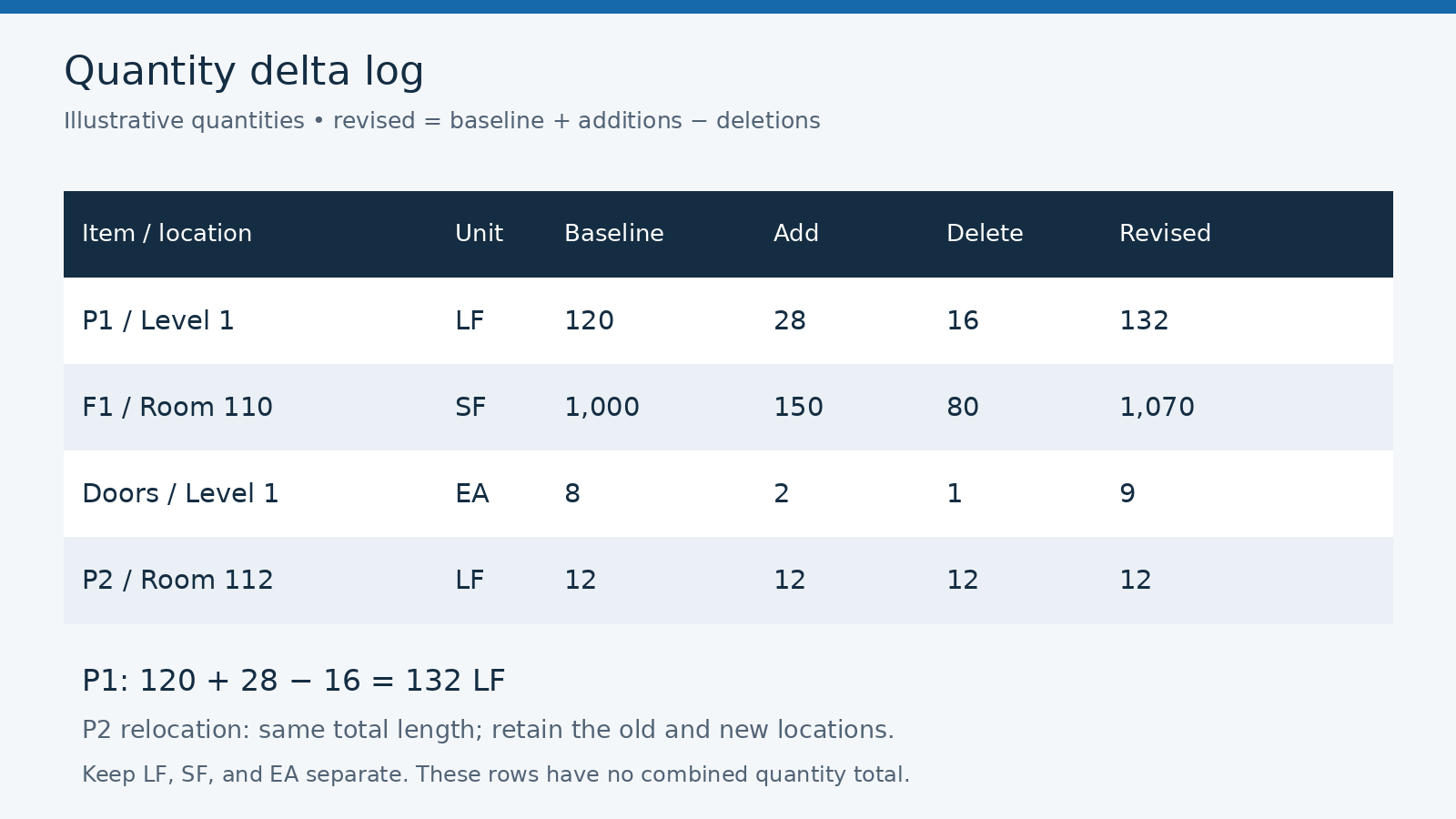
Use positive numbers in the added and deleted columns, with an explicit formula: revised quantity = baseline + additions − deletions. An alternative signed-delta format can work, but define its signs and use them consistently. Mixing negative deletions with a second subtraction produces an incorrect total.
These fictional quantities illustrate separate takeoff items. Partition lengths describe one defined wall type; board and finish quantities would need their own measured lines.
| Change ID / location | Item | Unit | Baseline | Add | Delete | Revised |
|---|---|---|---|---|---|---|
| Q-001 / Level 1 | Partition type P1 | LF | 120 | 28 | 16 | 132 |
| Q-002 / Room 110 | Floor finish F1 | SF | 1,000 | 150 | 80 | 1,070 |
| Q-003 / Level 1 | Scheduled doors | EA | 8 | 2 | 1 | 9 |
| Q-004 / Room 112 | Relocated partition P2 | LF | 12 | 12 | 12 | 12 |
For Q-001, 120 + 28 − 16 = 132 LF. Its net increase is 12 LF, but the review still needs the 28 LF added and 16 LF deleted. Reporting only "plus 12" would hide which original work disappeared and where the new work belongs.
Keep different units out of a combined quantity total. The four revised values above cannot be added into a meaningful project quantity. Reconcile within each item or compatible assembly group, then summarize the change records by trade and status.
Put drawing references beside the measurements. A useful note identifies the old and new sheet issues, detail or schedule reference, location, and calculation. "Per revised plans" leaves the reviewer searching through the whole package.
7. Reconcile measured totals before updating purchasing
Check the delta calculation against a fresh total for the affected scope. If the revised measurement disagrees with baseline plus additions minus deletions, investigate the difference. Common causes include a missed deletion, duplicate location, changed measurement convention, or an earlier error.
For unchanged groups, retain their quantities and mark the review status. That gives the overall reconciliation a defined boundary: affected scope has been remeasured, and retained scope has been checked for dependencies. Avoid implying that every line was remeasured if the review covered only selected areas.
Then update purchase conversions. Keep net measured quantities separate from cutting allowances, stock sizes, coverage, and package rounding. A change to the layout may justify reviewing the allowance, but it does not justify applying an unexplained percentage to every revision.
Suppose the fictional F1 flooring quantity rises from 1,000 to 1,070 net SF. Assume, only for this arithmetic example, a justified 5% allowance and 20 SF per box. The earlier purchase calculation is 1,000 × 1.05 ÷ 20 = 52.5, rounded up to 53 boxes. The revised calculation is 1,070 × 1.05 ÷ 20 = 56.175, rounded up to 57 boxes.
The purchase requirement increases by four boxes under those assumptions. It is different from the 70 SF net design increase. Confirm actual coverage and packaging with the specified supplier, and review existing orders, stock, and return restrictions before deciding what additional purchase is needed.
The material takeoff guide covers the move from measured quantities to purchase units. Keep that conversion visible in the revision package so supplier quantities can be reconciled without changing the design measurement.
8. Issue the revised package with clear open items
Send a revised quantity summary with the delta log, affected markups, document register, and assumptions. Identify which earlier package it supersedes. Preserve the earlier issue in the archive and give the recipient a clear current version.
Ask suppliers to reference the revised issue in their responses. Identify changed products, quantities, locations, and required services. Request confirmation of exclusions and superseded quotations so an older offer does not remain in the bid comparison by accident.
Keep unresolved items in the issue register with an owner and required response date. If a quantity uses an estimating assumption, show that assumption beside the affected line and in the outgoing scope. Update the same change ID when clarification arrives.
A quantity log supports pricing review, but quantities alone do not establish payment, entitlement, or schedule impact. Follow the project's contract and change process for those decisions. Separate approved design information, estimating assumptions, and commercial status so recipients can see what each record establishes.
Conclusion
Preserve the original takeoff, compare the correct document issues, and trace each revision through its affected assemblies. Record gross additions and deletions alongside the revised quantities, then reconcile purchasing separately. That leaves your team with an explainable change package when the next drawing set arrives.
If you need help organizing the measurements, BidAccurate's quantity takeoff services can support a defined takeoff package. Share the earlier takeoff, both document issues, scope boundaries, and the revision-log format you need.
Frequently Asked Questions
What is a quantity revision log?
It is a record connecting baseline quantities to revised quantities through documented additions and deletions. It should identify the item, unit, location, source documents, calculation, and unresolved questions so another reviewer can trace the change.
Can drawing-comparison software update my takeoff automatically?
The comparison features discussed here identify graphical differences for review. You still need to interpret the scope, confirm the measurement basis, and reconcile the affected quantities. Verify any further automation against the actual software and project requirements.
Should I record a relocation when the net quantity stays the same?
Yes. Record the old and new locations and link the related entries. The total material quantity may stay unchanged while adjacent work, installed work, access, or sequencing needs separate review.
How do I handle a changed material with the same area?
Keep the product descriptions separate. Remove the displaced material from its original quantity group and add the revised material to its own group. Check preparation, accessories, and purchase conversions from the revised assembly requirements.
Should waste be included in the quantity delta?
Reconcile the net measured change first. Then review and show the allowance and purchase conversion separately. This lets the reviewer distinguish a design quantity change from a change in layout allowance or package rounding.
What if the old takeoff and revised measurement do not reconcile?
Check locations, units, measurement rules, duplicate entries, and missed additions or deletions. Identify an original takeoff error separately from a document revision. Leave the item open until the difference has a documented explanation.